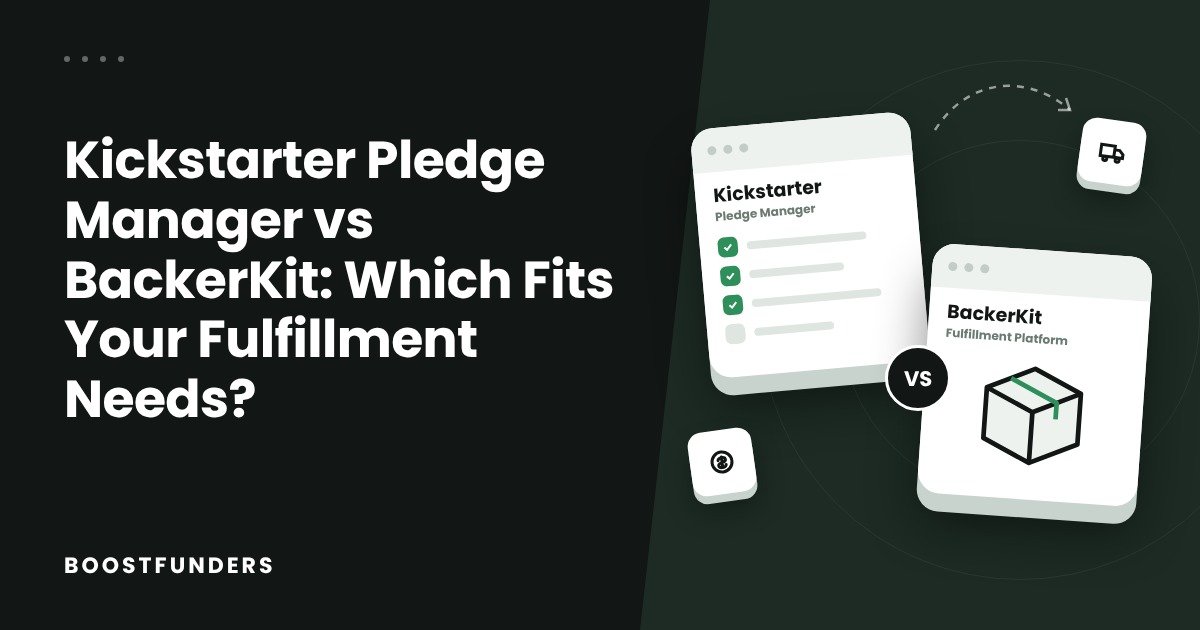
Kickstarter Pledge Manager is the simpler starting point for an eligible Kickstarter campaign that needs surveys, shipping collection, taxes and post-campaign orders inside Kickstarter. BackerKit deserves a closer look when you need its shipping workflows, wider fulfillment integrations, Shopify connection or Charge Shipping Later option. The right choice depends on the orders you have to deliver and the full cost of managing them.
Both tools now cover a lot of the same ground. Kickstarter supports weight-based shipping and a direct ShipStation integration. BackerKit offers more documented fulfillment connections and a way to collect survey answers before shipping prices are final. So a comparison that only asks "which one has surveys and add-ons?" will miss the decisions that actually matter.
This guide compares Kickstarter's native Pledge Manager with BackerKit's Pledge Manager for a campaign launched on Kickstarter. BackerKit also runs its own crowdfunding platform with different pricing; that is not what we are comparing here. Fees and product documentation were checked on October 29, 2026.
Key Takeaways
- Start with your fulfillment needs: reward variations, shipping regions, payment timing, warehouse software and what each order must contain.
- Kickstarter's Pledge Manager has no upfront charge. It takes 5% of money collected through the tool (excluding taxes), plus card processing.
- For a Kickstarter campaign, BackerKit charges a campaign fee of 2% or less on the original raise, plus 3.5% on money collected in its pledge manager and card processing.
- Both collect shipping and sell add-ons. BackerKit's Charge Shipping Later lets you send surveys before shipping prices are final.
- Calculating, collecting and paying tax to the authorities are three different jobs. Confirm who handles each for your shipping routes.
- Neither tool replaces a manufacturer, a warehouse, a carrier or a realistic delivery budget.
1. A Quick Comparison
A pledge manager turns campaign pledges into orders you can ship. It collects addresses and reward choices, takes extra payments, and prepares the data for fulfillment. A fulfillment provider does the physical work of storing, packing and shipping. You need a plan for both.
Here is the practical comparison for a project funded on Kickstarter:
| Feature | Kickstarter Pledge Manager | BackerKit Pledge Manager |
|---|---|---|
| Who can use it | Eligible Kickstarter projects only | Kickstarter campaigns via its external-campaign workflow |
| Upfront fee | None | Campaign fee of 2% or less on the original raise |
| Fee on new payments | 5% (taxes excluded), plus processing | 3.5% (shipping and taxes included), plus processing |
| Surveys | Native survey and order workflow | Custom questions, address validation, backer self-service editing |
| Shipping pricing | Flat rate or weight-based | Whole-order weight-based or stackable |
| Shipping timing | Estimate during campaign, final charge in pledge manager | Can send surveys first and add shipping later |
| Fulfillment connections | ShipStation integration | ShipStation, Easyship, Shopify and several fulfillment providers |
| Extra sales | Upgrades, add-ons, optional access for new backers | Upgrades, add-ons, pre-order store |
Based on Kickstarter's fee page and BackerKit's pledge manager pricing, plus the documentation cited in each section below.
Our advice: test the native Kickstarter workflow first if your needs are straightforward. Then compare BackerKit only against the specific needs Kickstarter does not cover well. A tool earns its extra cost when it saves real work, supports a process you need, or helps you ship accurate orders.
2. Eligibility and Setup Decisions
Kickstarter eligibility depends on choices you have already made
Kickstarter's eligibility rules say your rewards must be properly itemized, you must not have already sent Kickstarter's Backer Survey, and you must not be using another pledge manager for the campaign. The tool only works for campaigns that ran on Kickstarter.
Watch out
Sending the basic Backer Survey just to collect addresses can make you ineligible for the Pledge Manager later. Decide which system will manage your orders before you send that first survey.
The Pledge Manager becomes available after your project launches, so you can prepare the setup while the campaign is still running. A basic Backer Survey and a pledge manager are not the same thing: an address form alone does not give you checkout, extra payments or order management.
BackerKit adds a separate setup and payment connection
With BackerKit you configure the imported campaign, reward items, survey questions, shipping rules and payment settings yourself. Its funds setup guide says the Pledge Manager uses Stripe Connect. Check that your business, country, currency and payment account are supported before you commit.
Using BackerKit after a Kickstarter campaign does not mean relaunching on BackerKit's own crowdfunding platform. Those are separate products, so do not assume pricing or features advertised for BackerKit-launched campaigns apply to a Kickstarter import.
Before either setup, build an item list. Give every physical variation a clear identifier (an SKU) and record its description, quantity, weight and fulfillment location. A size or color choice has to produce information your warehouse can act on.
3. Fees and the Real Cost Comparison
The headline percentages are calculated on different bases. Comparing "5% versus 3.5%" without the campaign fee, tax treatment and card processing can lead you to the wrong answer.
How Kickstarter charges
Kickstarter's fee page says its Pledge Manager collects a 5% platform fee on all funds except taxes. Stripe's card processing, roughly 3–5%, applies to the full payment including taxes.
There is no upfront charge, and no second platform fee on your original campaign money just because a backer completes their order. Fees apply when you collect new payments, such as shipping or add-ons. So "no upfront charge" does not mean collecting shipping is free: include platform and processing fees in your shipping budget alongside packaging, postage, handling and any tax.
How BackerKit charges a Kickstarter campaign
BackerKit's pledge manager pricing lists a campaign fee of 2% or less and a 3.5% transaction fee, with Stripe processing charged separately. Its fee schedule applies the campaign fee in progressive bands:
| Portion of the raise (USD) | Rate on that portion |
|---|---|
| Up to $50,000 | 2.00% |
| $50,000 to $100,000 | 1.85% |
| $100,000 to $250,000 | 1.70% |
| $250,000 to $500,000 | 1.55% |
| $500,000 to $1,000,000 | 1.40% |
| $1,000,000 to $2,500,000 | 1.25% |
| $2,500,000 and above | 1.10% |
Each rate applies only to the portion of funding inside that band, not to the whole raise.
For campaigns averaging more than $250 per pledge, the schedule caps the campaign fee at $5 per backer. The table still carries a "Last updated: April 1, 2021" label, so confirm the calculator result and your quoted terms before budgeting.
BackerKit's creator FAQ says the 3.5% fee applies to all funds raised in the pledge manager, including add-ons, pre-orders, upgrades, shipping, taxes and reinstated pledges. The campaign fee is paid after the campaign ends and before surveys go out.
A worked example
Say a Kickstarter campaign raises $100,000 from 1,000 backers. The average pledge is $100, so the $5 cap does not apply. BackerKit's campaign fee is $1,000 on the first $50,000 plus $925 on the next $50,000: $1,925 in total.
| Fee | $20,000 collected later | $150,000 collected later |
|---|---|---|
| Kickstarter platform fee (5%) | $1,000 | $7,500 |
| BackerKit campaign fee | $1,925 | $1,925 |
| BackerKit transaction fee (3.5%) | $700 | $5,250 |
| BackerKit total | $2,625 | $7,175 |
| Cheaper in this example | Kickstarter, by $1,625 | BackerKit, by $325 |
Illustrative calculation using published rates. Excludes taxes, card processing, currency costs, shipping software, postage and fulfillment. Not a forecast.
Neither tool is automatically cheaper. A campaign expecting modest extra collections benefits from Kickstarter having no campaign fee. Large post-campaign collections make BackerKit's lower percentage matter more. In this example, the 1.5-point difference covers the $1,925 campaign fee at about $128,333 of later collections.
Tip
Taxes shift the break-even point. BackerKit's 3.5% includes taxes in its base, while Kickstarter's 5% excludes them. If you will collect a lot of VAT or sales tax, run the numbers both ways.
Use a complete budget before you decide. Include staff time, integration subscriptions, support work and the cost of fixing bad orders. An extra hour of setup is very different from hundreds of manual corrections after files reach a warehouse.
4. Surveys, Reward Choices and Order Accuracy
For a simple reward list, both systems can collect what you need. The better test is whether every answer turns into a usable order line.
Picture a campaign offering a hardcover book, a signed edition, a poster and a T-shirt in five sizes. The warehouse needs to know exactly which products and variations each person gets. A note saying "large blue shirt please" is far less reliable than a defined variation tied to the right SKU.
Problem: free text can't be read by a warehouse system, and BackerKit's Shopify integration doesn't transfer free-form answers at all.
Why it's better: every answer becomes a defined order line, so the export, the integration and the packer all see the same thing.
Kickstarter builds its survey around the items in each backer's reward, including questions tied to upgrades and add-ons. BackerKit's survey features include custom questions, address validation, backer self-service editing and survey recovery. Preview the combinations your real rewards create rather than judging either tool from a generic demo.
Plan for changes after the survey opens
Kickstarter now allows some edits after the Pledge Manager launches, including some reward settings and shipping costs. But changes that affect checkout totals only apply to backers who have not yet entered the pledge manager. Backers already in it keep the old settings.
You also cannot edit the launched survey, item tax settings, your shipping origin or the shipping method (flat-rate or weight-based) once it is live. That matters if your supplier has not confirmed the product configuration, or your logistics partner might change the dispatch country.
BackerKit documents more ongoing order-management workflows, but its flexibility has deadlines too: orders cannot be changed once they are sent to the fulfillment service. In either system, treat the handoff to the warehouse as a controlled milestone. Test an address change, an added reward, an incomplete payment and a refund before going live.
5. Shipping Rules and When to Collect Shipping
Kickstarter supports flat-rate and weight-based shipping
Kickstarter's shipping guide offers flat-rate pricing by destination, or weight-based pricing using weight ranges and item weights.
If you charge shipping later, backers see only an estimate when they pledge and pay the final amount in the pledge manager closer to fulfillment. Shipping collected this way does not count toward your funding goal, so your campaign still has to raise enough to produce the rewards on its own.
BackerKit offers three distinct options
BackerKit's shipping options are whole-order weight-based shipping (its recommended option), stackable shipping (a flat rate for the pledge plus separate add-on fees) and Charge Shipping Later.
Charge Shipping Later lets you send surveys now and set shipping fees closer to fulfillment. That helps when you need size or color quantities for production before you have a reliable shipping quote. One limit: you cannot use PayPal with this feature until shipping fees are set up.
This is a practical reason to look at BackerKit. An apparel creator, for example, may need final size counts today but won't know packed carton weights for months. If you use it, plan the payment and reminder sequence so backers understand what is still unpaid.
Test the real order shapes
Weight is only part of a shipping quote. Box dimensions, remote-area charges, split parcels, battery rules and special handling all affect the price. Neither platform can make an incomplete rate table accurate. Ask your fulfillment partner to price a few realistic orders:
| Test order | What to check |
|---|---|
| Main reward, no extras | Correct base shipping and packaging allowance |
| Main reward plus several add-ons | Combined weight, quantity limits, any second parcel |
| Order exactly on a weight boundary | Which price band actually applies |
| Largest allowed order | A valid rate exists above normal weights |
| Expensive or remote destination | Destination is supported, surcharges included |
Watch out
Don't copy a shipping table from one tool to the other and assume identical results. BackerKit, for instance, recommends an "Infinity Rule" so heavier orders never ship free. Test checkout totals at boundary weights before asking backers to pay.
6. Taxes, VAT and Customs Responsibilities
Tax handling can matter more than the interface. Answer three questions separately: who calculates the tax, who collects it, and who pays it to the authority.
Kickstarter handles collection in specific cases
Kickstarter's Pledge Manager Tax FAQ says it automatically calculates, collects and remits applicable US sales tax on taxable rewards, and collects and remits Canadian indirect taxes. Creators still have to identify reward items and provide their costs.
For UK and EU VAT, Kickstarter collects VAT where it is the deemed supplier and, with the creator's authorization, where the creator is responsible. Creators can opt out of the VAT service and take on full VAT compliance themselves.
Do not read that as "Kickstarter handles every tax everywhere." Your business may still have registration, reporting, income tax or customs obligations, and the shipping origin and destination can change the treatment even for identical rewards.
BackerKit uses tax rules you configure
BackerKit's tax rules guide lets you charge tax by country, or by state and province in the US, Australia and Canada, on pledge levels, add-ons and shipping. It states that BackerKit is not responsible for ensuring correct rates and does not support county- or city-level taxes.
A tax rule that collects money at checkout does not, on its own, mean the platform files or pays it. For an imported Kickstarter campaign, confirm who handles remittance and reporting.
Tip
Before launch, have your accountant and fulfillment partner review where stock is held, where parcels ship from, and what backers pay at checkout versus on delivery. A backer who paid VAT can still face a delivery problem if customs paperwork is wrong.
7. Fulfillment Integrations, Tracking and Shopify
Kickstarter now connects directly to ShipStation
Kickstarter's ShipStation integration sends finalized pledge manager orders to ShipStation automatically and returns tracking details to Kickstarter. Address updates and refunds sync too, and backers get a shipping email and can see tracking on their pledge page.
It requires a ShipStation account on the Gold tier or higher for API access. That subscription is a separate cost from Kickstarter's fee. If your team already uses ShipStation, this removes much of the reason to switch pledge managers just for shipping automation.
BackerKit offers more documented connections
BackerKit's integration list includes Amplifier, Fulfillrite, ShipStation, Shipwire, RyderShip, Shopify and Easyship. What counts is compatibility with the operation you already have, not the number of logos.
If you use Shopify, check one limitation: BackerKit's Shopify order guide says free-form survey answers and order notes are not pushed through. It also explains that orders show as Partially Paid in Shopify when the items cost more than the backer paid. Test a discounted reward, an upgrade and a taxed order before transferring the whole campaign.
Agree a sample file
Have the warehouse approve SKUs, quantities, addresses, phone numbers and shipping service.
Name one source of truth
Decide which system owns the order record at each stage.
Write the exceptions
Agree how replacements, partial shipments, cancellations and late address changes are handled.
Ship a test batch
Release a small batch first and check the tracking before sending the rest.
Digital rewards need their own test
Both tools handle digital rewards. Kickstarter's digital rewards release note describes uploading files tied to Pledge Manager items, with up to 2 GB of storage and access for backers for up to two years. BackerKit's creator FAQ also confirms digital reward distribution. For ebooks, game files or a product with a digital companion, test who receives each file and how they download it, and track digital delivery separately from physical shipping.
8. Add-ons, Upgrades and Late Orders
Both platforms can bring in extra revenue after the campaign. The useful question is whether those extra orders fit your production and fulfillment plan.
In Kickstarter's Pledge Manager you can offer upgrades and add-ons and, with a toggle, accept new backers. Its setup guide notes that Late Pledges must end before the pledge manager launches. BackerKit offers add-ons, upgrades and a pre-order store for continued sales.
Every extra product adds inventory, shipping and support work. Before adding an accessory, work out what it earns after product cost, packaging, extra postage, platform fees, processing and support. An accessory that forces a second parcel can have a very different margin from one that fits in the existing box.
Keep promotion links pointed at whichever checkout is live. Our guide on how to promote a late pledge campaign after Kickstarter ends covers the move from the original deadline into continued promotion. If you want extra reach for that phase, a crowdfunding newsletter feature can point backers straight to your late pledge or pre-order page.
Plan the Kickstarter to BackerKit transfer
Kickstarter's third-party pledge manager FAQ says it won't automatically send new pledge information to third-party pledge managers, and recommends waiting until you've finished collecting pledges on Kickstarter. If more people pledge after BackerKit is set up, reconcile backer counts, amounts, rewards and prior payments before sending surveys.
9. Backer Experience and Support
Kickstarter keeps the post-campaign process inside a platform your backers already used. BackerKit gives backers a dedicated survey with self-service editing and survey recovery. Neither removes your job of explaining production updates, delays, product decisions or replacement policies. Platform support can answer checkout questions; only you can explain why a manufacturing milestone moved.
Before the first survey email, tell backers what to expect: who it comes from, what they need to fill in, what charges remain and when to respond. If you move to BackerKit, announce it in a project update so the new survey email is recognized.
Choose the system your team can run consistently. If BackerKit's tools will save a real support workload, count that in its favor. If a small catalog and native checkout cover the job, don't add a separate system without a clear reason.
10. Which Tool Fits Your Campaign?
These are practical recommendations based on each tool's documented workflows, not universal rankings.
| Your situation | Start with | Why |
|---|---|---|
| Simple rewards, modest extra sales | Kickstarter | No campaign fee; native survey and checkout may cover everything |
| Already using ShipStation | Kickstarter first | Direct sync with tracking; ShipStation alone no longer settles the choice |
| Complex catalog or Shopify store | BackerKit | Wider documented integrations; test missing fields and payment status |
| Need production answers before shipping prices | BackerKit | Charge Shipping Later separates surveys from final shipping |
| Lots of US, Canadian, UK or EU tax | Compare both | Kickstarter collects and remits in specified cases; check your existing tax setup |
| Large post-campaign collections | Run the numbers | BackerKit's lower percentage can outweigh its campaign fee |
Not sure your campaign page and offer are ready for the add-on and late pledge push? A Kickstarter campaign page review can flag unclear rewards and shipping information before you send backers back to it.
11. A Practical Setup and Launch Plan
Whichever tool you choose, the order of work is the same. Kickstarter's Pledge Manager guide sets several of the timings below; BackerKit's setup steps require payment before you can submit for setup review and send surveys.
Map your requirements
List reward variations, countries, shipping origins, custom information, likely add-ons and your warehouse connection. Mark each as essential or optional.
Choose the pledge manager
Don't send Kickstarter's basic Backer Survey until you've decided, or you may lose access to its Pledge Manager.
Build and test representative orders
Include an international order, an upgrade, a large add-on basket and a personalized item. Preview every charge and inspect the exported data.
Platform review
Kickstarter's Trust & Safety review can take up to five business days. On BackerKit, the setup review comes after payment.
Pledge manager open
Kickstarter's must stay open at least three weeks for all backers. Backers on Pledge Over Time can only enter once their payments are complete.
Close and lock orders
Incomplete backers get 48 hours' warning before closing. Reconcile paid orders, failed payments and uncompleted surveys.
Send a test batch to the warehouse
Push one test order through the real integration, release in batches, and check the first tracking updates before sending the rest.
12. Mistakes That Make Either Choice Expensive
The most expensive mistake is choosing a system before you understand the operation. These are the ones we see most often:
"5% vs 3.5% tells me which is cheaper."
You also need BackerKit's campaign fee, each fee base, processing, subscriptions and staff time.
"I'll send a quick survey now and pick a tool later."
Sending Kickstarter's Backer Survey can make you ineligible for its Pledge Manager.
"The import keeps updating itself."
New Kickstarter pledges are not sent to third-party pledge managers automatically. Reconcile them.
"Collecting tax means I'm compliant."
Calculation, collection, remittance and customs paperwork are separate jobs.
"Add-ons are pure profit."
An add-on that forces a second parcel can wipe out its margin.
"The warehouse will read the order notes."
Free-text notes may not cross the integration at all, for example BackerKit to Shopify.
Build one complete example order from pledge to shipment, then repeat it for the difficult cases. That exercise will tell you more than any feature checklist.
13. FAQs
14. Conclusion
Choose Kickstarter Pledge Manager when its native workflow covers your rewards, shipping and tax needs, and you value a simple move from campaign to order management with no campaign fee. Choose BackerKit when its specific shipping, survey, Shopify or integration workflows save enough work to justify the extra setup and campaign fee.
Either way, price both against the same expected orders, test the awkward cases, and have your fulfillment partner approve the data before anything ships. The right choice is the one that helps your team collect accurate information, recover the costs you need to, and deliver the rewards you promised.